EasyPainter Source Pack 2: Flickr, ComboCheckBox and more!

Mar 11, 2010

Yes! EasyPainter Source Pack 2 is here!

This source pack contains Flickr integration sample amongst other also important things (read below).

Download Source Code

The live demo:

Usage

  1. Go to http://www.flickr.com/services/api/, sign up and get an API key for your app
  2. Put the key in Flickr\FlickrHelper.cs
  3. Use the below code behind and XAML:

public MainPage() {
    InitializeComponent();
    Globals.ToolbarRadioButtonStyle = (Style)Application.Current.Resources["ToolbarRadioButton"];
    IGenericUserInterface ui = (IGenericUserInterface)openDialog1;
    ui.Result += new GenericResultHandler(ui_Result);
}

void ui_Result(IGenericUserInterface sender, EasyPainter.Imaging.ResultType result, bool uiDismissed) {
    MessageBox.Show(String.Format("Result type: {0}\nPhoto Url: {1}", result, openDialog1.PhotoUrl));
}

XAML:

<Grid x:Name="LayoutRoot" Background="White">
    <my:OpenDialog x:Name='openDialog1' />
</Grid>

License

The source code of the sample is licensed under MS-PL

Flickr usage is governed by their own license: check the terms of use on http://www.flickr.com/services/api/ for more details.

Source Code Information

Apart from Flickr, there are some other things interesting to developers in this sample:

  • Queuing for WebClient. The WebClient class does not allow to call DownloadStringAsync() while another download using WebClient is in progress. The WebClientQueue class in the sample allows you to queue work items, cancel them, gracefully display and recover from errors and get updates on progress.
  • Caching for WebClient REST API and other requests. The current cache is set in WebClientQeueue to 5 minutes. Huge speed improvement when browsing through the images!
  • ComboCheckBox control (far from perfect, but still usable for some cases)
  • Minimalistic WrapPanel. The 10KB version of the WrapPanel extracted from the Silverlight toolkit that is typically around 280 KB.
  • Lightweight XML parsing. Using XMLReader instead of Linq like other samples do helps shave off about 100KB of size from the sample
  • Small size! Combining the 2 above items, and the XAP file is only 27K (I wish it was less but life if life :))
  • ImageList control for showing and paging through images
  • ImageSwitchHelper – a "fit-and-finish" control that helps avoid "jumping" when the image on the right changes. The control preserves the frame size until the next image is loaded.
  • An easy way to keep UI alive and preserve the dialog view (DialogStore.cs). If you open EasyPainter you'll notice that every time you click "Open from Flickr" you will go to your previous view instead of resetting the UI.
  • IUserInterface – a kind of generic interface for reusable UIs and for connecting UIs with other parts of your program. This interface is used in all dialogs in EasyPainter, for example to update the view when filter values change. It also allows to click through effects without clicking Cancel on each dialog (for example). All EasyPainter filter UI dialogs are built on-the-fly from metadata info assigned to the filter (this would come in another sample sometime).

I almost missed something important: once you have the image Url, you can display it in an Image tag. If you want to use it from within WriteableBitmap though, you'll have to round-trip it through the server that serves the .xap file (in EasyPainter's case that's www.nokola.com).

Also note that Source Pack 1 has a refresh today too containing new features and bug fixes!

I hope this sample will help you make more responsive/pleasing UIs in addition to Flickr!

Hope you like it! Please comment :)


EasyPainter Source Pack 1 Refresh

Mar 11, 2010

There were several major bugfixes in EasyPainter controls and few updates.

Here are the main two:

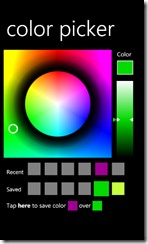
  • Changing the color the first time when using the API in the color picker now works (heh :)).
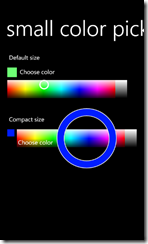
  • Editable slider has a new DisplayFormat property allowing you to override the format (e.g. DisplayFormat="X: 0.0" – see below)

The sample is also moved to Visual Studio 2010 RC.

Here is a refresh of source pack 1 with the changes:

Download Source Code

The live demo:

EasyPainter: Lion Hair styling

Mar 5, 2010

I am playing with EasyPainter recently :) There are no new additions to the software (yet).

Here's how to apply a hair style to a lion.

Original:

lions

Hair styled:

Lions_after

The original image is from: http://www.flickr.com/photos/wwarby/2404544591/ (search for "lion" in EasyPainter)

I'd say the second one looks way cooler, especially with the blue Raiden-like eyes. Raiden is the god of thunder from Mortal Kombat!

Effects used: Color shift for the eyes, followed by Brigthness. Waves for the "hair" and a finishing touch of Life-like.


10 New Effects in EasyPainter

Feb 26, 2010

Yes! :) After spending about 1 hour last night, here are 10 more shaders in EasyPainter.

Since I don't have time to write about each one now, here is a sample image leveraging a few:

Original:

_original

Manipulated:

_severalFilters

  • Zoom Motion in the lower left corner making the trees appear moving fast towards the viewer
  • Ripples in the sea
  • Magnify to enlarge the cloud on the right of the image
  • Pinch to change the shape of the lower coconuts
  • Tint and Color Shift to change the color of the coconuts
  • Sharpen on the houses in the backgroundto make the contrast with Zoom Motion stand out more
  • Magnifier Lens to make the trunk of the palm thinner
  • Life-Like Colors to reveal the missing colors

Shaders now have color pickers (such as Tint), and positions (such as Zoom Motion). The position adorner can be dragged on screen with the mouse.

I also made few bugfixes to the ColorPicker control and the RangeSlider, and will publish these shortly.

Most of the shaders are small modifications or a combination of http://wpffx.codeplex.com shaders and http://shazzam.codeplex.com/.

Moreover, EasyPainter is 12 KB less than its last version, almost 300 KB now. I may still be able to get it in the 250KB range..we'll see.

Hope you like it!

EasyPainter: Watercolor, Blood and Gloom Pixel Shaders

Feb 20, 2010

Click here to try the new effects in EasyPainter.

Download source code.

Original vs Zombie – can you figure out which one is which? :)

nikolami zombie

The new Blood shader works only on skin colors. To use it, you have to use the selection brush to select skin tones from the image.

Here is the Watercolor shader. It's very subtle, but I think it looks nice nevertheless. If anyone has suggestions for improvements, including a proper name for this shader, since it is really subtle - please let me know!

image watercolor

I also added a Gloom effect, the one from http://wpffx.codeplex.com

Little Tech Stuff

The "blood" is in fact the pastel texture from the Pastel effect, blended with Burn.

The watercolor is based on real tutorials on doing water color effects: it is a combination of [cheap horizontal] blur and sobel edge detection. Unfortunately, the blur has to be 2-pass to look good, and span larger area. I might improve it in the future. Anyway, the effect looks pleasing to me for now :)


Old Photo, Pastel, and Pencil Sketch Pixel Shaders For Silverlight

Feb 18, 2010

EasyPainter has new filters! Source code below! Try them out here

Edit: I'd actually like to improve the pastel shader further - real-life pastel is usually on white background, and the shaders are on black...

Samples

Original (http://www.flickr.com/photos/-arpi/4280428638/):

Original

Pastel Drawing:

Pastel

Old Photo:

OldPhoto1

Old Photo ("younger"): More...


Simplex Noise (like Perlin Noise) in Pixel Shader 2.0 for Silverlight and WPF

Feb 11, 2010

Yay! 2D and 3D noise in pixel shaders!

After tackling the Hue shader I decided to move to something even more interesting, Simplex noise.

You've probably heard of Perlin Noise, if not see Rene's post with realtime 3D noise here and also check out my Living Noise sample and Living Noise blog post .

The "Noise" can be used to make effects such as fire, water, marbles, smooth motion, hand-drawn UI, space travel effects, nebulas and a lot more!

Simplex noise has similar characteristics to Perlin noise - it's continuous, smooth and its first derivative is smooth too. The nice thing about the Simplex, is that its much easier to compute and thus can be implemented in Pixel shaders.

Another advantage of the Simplex noise over Perlin noise is that the permutation bitmaps compress very well (8KB total), making the whole XAP about 30KB total, including the sample JPEG.  In comparison Perlin noise's bitmaps compress to about 350KB on my box.

Note you can also generate the maps almost instantly on the fly, eliminating the "size argument" when comparing Perlin and Simplex.

The source code download contains both 2D and 3D Pixel shader Simplex noise implementation. The 3D implementation still lacks some features - read on below.

Here is the live sample:

Download Source Code

The sample is based on this public powerpoint presentation by Natalya Tatarchu (AMD), who is the hero of today and I believe she made a lot of people happy with her great implementation of the Simplex noise! :)

I also re-visited Ken Perlin's homepage to remind myself of the noise a couple of times.

2D noise

This was (relatively) easy, since the reference implementation readily fits into PS 2.0 shaders, with lots of instructions available to experiement.

To overlay couple of noises on top of each other, I had to use the shader several times.

The biggest issue was generating the maps - I had to make sure to set the alpha to 255, otherwise weird things may happen (due to alpha premultiplication).

3D Noise

The 3d noise was more challenging - the implementation I have does not fit in PS 2.0 (84 instructions total, and PS 2.0 is 64 max).

I had to split the function in the middle, and make 2 shaders that build on top of each other. This means that the second shader works with the output from the first. There are several challenges:

1. There is color and shader information to be passed around, which means that either I have to pass the original image every time to the shader, or I have to compress the color space

I chose to compress the color space, and make it (R, S, G+B) where S is the shader value from the previous pass and RGB are the original image components. In the source code, I skipped the G+B part altogether ending with (R, S, 0) (monochrome source image), but you may change it to fix the issue.

If you do, please let me know, since I'm not planning to do it for now!

Note: in .NET 4.0 the 3D Noise shader fits into the PS 3.0 instruction limits. I left the original function in the source for people who want to use it with WPF.

Lot of writing! Hope you enjoy it!


Someone Said it Was Impossible: Hue Shift in Pixel Shader 2.0 (EasyPainter, Silverlight)

Feb 9, 2010

I read somewhere online that Hue changes can't be done in pixel shader 2.0, due to limitation of 64 instructions per slot.

Here's the sample that proves otherwise:

Download source code

Indeed the RGB-to-HSL-to-RGB conversion takes about 100 instructions in its typical implementation. PS 2.0 which is the shader model supported by Silverlight 3 only allows for 64 arithmetic instructions, as outlined in this comparison between pixel shaders on Wikipedia

How can we optimize it?

Optimizing pixel shader instruction slots is nice - in a typical C# world, you'd be adding if() statements to make your code run faster like this:

    if ( HSV.y != 0 )
       QUAD_REAL var_h = HSV.x * 6;
       QUAD_REAL var_i = floor(var_h);   // Or ... var_i = floor( var_h )
       QUAD_REAL var_1 = HSV.z * (1.0 - HSV.y);
       QUAD_REAL var_2 = HSV.z * (1.0 - HSV.y * (var_h-var_i));
       QUAD_REAL var_3 = HSV.z * (1.0 - HSV.y * (1-(var_h-var_i)));
       if      (var_i == 0) { RGB = QUAD_REAL3(HSV.z, var_3, var_1); }
       else if (var_i == 1) { RGB = QUAD_REAL3(var_2, HSV.z, var_1); }
       else if (var_i == 2) { RGB = QUAD_REAL3(var_1, HSV.z, var_3); }
       else if (var_i == 3) { RGB = QUAD_REAL3(var_1, var_2, HSV.z); }
       else if (var_i == 4) { RGB = QUAD_REAL3(var_3, var_1, HSV.z); }
       else                 { RGB = QUAD_REAL3(HSV.z, var_1, var_2); }
   }

Not with pixel shaders. If you look carefully at the bold if statement, removing it does not change the program logic. It just takes an extra instruction slot. In reality, I think the pixel shader code will run with the same speed with or without the if() (not 100% sure so correct me if needed).

With this knowledge, I decided to do these optimizations:

1. Instead of HSL-to-RGB, use HSV-to-RGB. The reference NVidia Shader Library implementation (source code here) of HSV-RGB-HSV takes ~70 or so slots.

2. Combine the min_channel() and max_channel() functions into 1 - saves a couple if() statements

3. Take out the if (x < 0) (x += 1) checks in the RGB-HSV function, and execute them once instead of twice, after the hue is modified.

4. Remove the "obsolete" if()-s like the one above

I was very happy to see that it just fit in the 64-instruction slot of PS 2.0! Note that it hits the limit and more complex Hue stuff may need further optimizations! :) If you do so, please let me know! Anyway hue tricks that don't use more slots are OK.

Here's the complete Shazzam-friendly source of the .fx file (also included in the sample project source above).

/// <summary>Hue shift</summary>
/// <minValue>0</minValue>
/// <maxValue>1</maxValue>
/// <defaultValue>0</defaultValue>
float HueShift : register(c0);
sampler2D Samp : register(S0);
#define QUAD_REAL float
#define QUAD_REAL3 float3
QUAD_REAL3 rgb_to_hsv_no_clip(QUAD_REAL3 RGB)
{
    QUAD_REAL3 HSV;
   
 float minChannel, maxChannel;
 if (RGB.x > RGB.y) {
  maxChannel = RGB.x;
  minChannel = RGB.y;
 }
 else {
  maxChannel = RGB.y;
  minChannel = RGB.x;
 }
 
 if (RGB.z > maxChannel) maxChannel = RGB.z;
 if (RGB.z < minChannel) minChannel = RGB.z;
   
    HSV.xy = 0;
    HSV.z = maxChannel;
    QUAD_REAL delta = maxChannel - minChannel;             //Delta RGB value
    if (delta != 0) {                    // If gray, leave H & S at zero
       HSV.y = delta / HSV.z;
       QUAD_REAL3 delRGB;
       delRGB = (HSV.zzz - RGB + 3*delta) / (6.0*delta);
       if      ( RGB.x == HSV.z ) HSV.x = delRGB.z - delRGB.y;
       else if ( RGB.y == HSV.z ) HSV.x = ( 1.0/3.0) + delRGB.x - delRGB.z;
       else if ( RGB.z == HSV.z ) HSV.x = ( 2.0/3.0) + delRGB.y - delRGB.x;
    }
    return (HSV);
}
QUAD_REAL3 hsv_to_rgb(QUAD_REAL3 HSV)
{
    QUAD_REAL3 RGB = HSV.z;
    //if ( HSV.y != 0 ) { // we don't really need this since it just adds an obsolete instruction slot
       QUAD_REAL var_h = HSV.x * 6;
       QUAD_REAL var_i = floor(var_h);   // Or ... var_i = floor( var_h )
       QUAD_REAL var_1 = HSV.z * (1.0 - HSV.y);
       QUAD_REAL var_2 = HSV.z * (1.0 - HSV.y * (var_h-var_i));
       QUAD_REAL var_3 = HSV.z * (1.0 - HSV.y * (1-(var_h-var_i)));
       if      (var_i == 0) { RGB = QUAD_REAL3(HSV.z, var_3, var_1); }
       else if (var_i == 1) { RGB = QUAD_REAL3(var_2, HSV.z, var_1); }
       else if (var_i == 2) { RGB = QUAD_REAL3(var_1, HSV.z, var_3); }
       else if (var_i == 3) { RGB = QUAD_REAL3(var_1, var_2, HSV.z); }
       else if (var_i == 4) { RGB = QUAD_REAL3(var_3, var_1, HSV.z); }
       else                 { RGB = QUAD_REAL3(HSV.z, var_1, var_2); }
   //}
   return (RGB);
}
float4 main(float2 uv : TEXCOORD) : COLOR
{
 float4 col = tex2D(Samp, uv);
 float3 hsv = rgb_to_hsv_no_clip(col.xyz);
    hsv.x+=HueShift;
    //if ( hsv.x < 0.0 ) { hsv.x += 1.0; }
    if ( hsv.x > 1.0 ) { hsv.x -= 1.0; }
    return float4(hsv_to_rgb(hsv),col.w);
}
 
btw, Visual Studio 2010 RC is out for MSDN subsribers (public tomorrow) and I'm going to publish all samples in VS 2010 from now on :)

Hope you like it!


EasyPainter Source Pack1: Color Picker, RangeSlider, Small Expander, Fast Drop Shadow and more!

Feb 8, 2010

I'm very happy to publish the EasyPainter source code pack. The controls in the pack are optimized for usability, speed and size.

All of them have been succesfully used in real-life apps which is the best way to test if something works.

Download Source Code

Here's a live demo:

This pack contains the following controls:

  • Color Picker - feature complete control that allows to pick any color, transparency or type in hex color
  • Editable, auto-formatting slider - if you want to give the user the ability to quickly choose values with previews, this control is for you. It will also try and self-adapt the number format (spaces after the zero), based on the scale you specify.
  • Fast drop shadow frame - consists of few rectangles, without customizations. But you can have a lot of those, in many sizes and not worry about performance.
  • Minimalistic Expander - the best thing about this control is that it's small (12KB). You don't need to get the whole 300+KB Microsoft.Windows.Controls from the Silverlight Toolkit.
  • The toolbar buttons used in EasyPainter on the side and top toolbar
  • The toolbar radio buttons used in EasyPainter for tool selection

Hope you like it!

btw, here's a nice trick that I used to do the rectangle background for the alpha picker:

         <Rectangle Fill="White" />
        <Line Stroke="Gray" StrokeThickness="4" StrokeDashArray="1,1" X1="2" Y1="0" X2="2" Y2="300"  />
        <Line Stroke="Gray" StrokeThickness="4" StrokeDashArray="0,1,0" X1="2" Y1="0" X2="2" Y2="300" Grid.Column="1"  />

In the posts coming up, I'll talk about compositing the image on screen, filters, and drawing with pixel shaders! There's also adorner, cursor code, and Flickr integration coming up!


EasyPainter Beta: Top Secret Online Image Editor Announced

Feb 4, 2010

Today I am announcing EasyPainter Beta: The Artist Within. An online image editor that is: Fast. Easy. Made for non-designers. And FREE! :)

Click here to open EasyPainter

Note: send feedback in the comments section of this post.

Unlike other online (or many offline) image editors, EasyPainter offers online effects comparable to powerful desktop apps, integrated search for millions of free-for-commercial or -personal use photos, and instant previews of any changes you make.

Find below:

  • Quick intro to easy painter
  • Many Screenshots
  • Getting Started Tutorials
  • Effect Tutorials
  • Tech Stuff

What Does Easy Painter Offer?

The Basics

  • Reveal the true-to-life colors in photos. Make them look like shot with professional camera. Your friends will be wowed!
    • The life-like photo filter combines several steps of popular GIMP/Photoshop "how to enhance an image" tutorials into one.  Save time with a 1-step effect instead of following an online tutorial.
  • Preview effects and changes instantly. It's OK to change your mind – many times per second. That's why we have computers for :)
  • Find millions of free for commercial use photos for your project from Flickr
    • Also filter by "government use", "non-commercial use", and other
  • Quickly resize, email size. Flip. Rotate. Draw to select objects and crop with a single click.
  • Manipulate huge 25 megapixel panoramas, fast. Powered by bleeding edge Silverlight and Pixel Shader engines.
  • Ease of use: tired of figuring out image programs with "Edge Detect", "Bumpiness factor" and "Directional Blur parameters"?
    • Work with more intuitive language like: "Hollow Outline", "Fast Motion", "Painting"
    • Mix-and-match. Draw on the image while an effect is open at the same time. Switch between effects and see your changes applied instantly

Effects

  • "Paint" with any effect, such as blur, emboss, bloom, saturation, and more
  • Make curves in trees, fluff clouds or perform complex photo manipulations easily by clicking and "drawing" effects with the mouse
    • Preview and change at will. For example, move a slider to bend a straight tree back and forth
  • Make changes that look good every time. Even if you are not a designer. All EasyPainter filters suggest the best values for your image.
  • Compare before and after with a single click on the currently open effect

Screenshots

All images combined are made in less than 25 minutes

The screenshots below are intended to show samples of the functionality. For more tutorials, see the Getting Started and Effects Tutorials sections

Open From Flickr:

.OpenFromFlickr

Painting With Effect:

PaintWithEmboss

Original:

This is the original image being modified in the next screenshots:More...


nokola.com | Terms | Log in